
Case management for child welfare and family support
Version 1.3.0 availableLess administration. More time for families.
Focus Family brings case documentation, care planning and time tracking together for family support, supervised contact and educational assistance. Practitioners record visits on site, even without reception. Team leads use those records for activity reports and billing preparation. Case data is encrypted on the device; teams share it through their organisation's own server.
- 100 % offline capable
- Encrypted on the device
- No account required
- Self-hosted server, optional
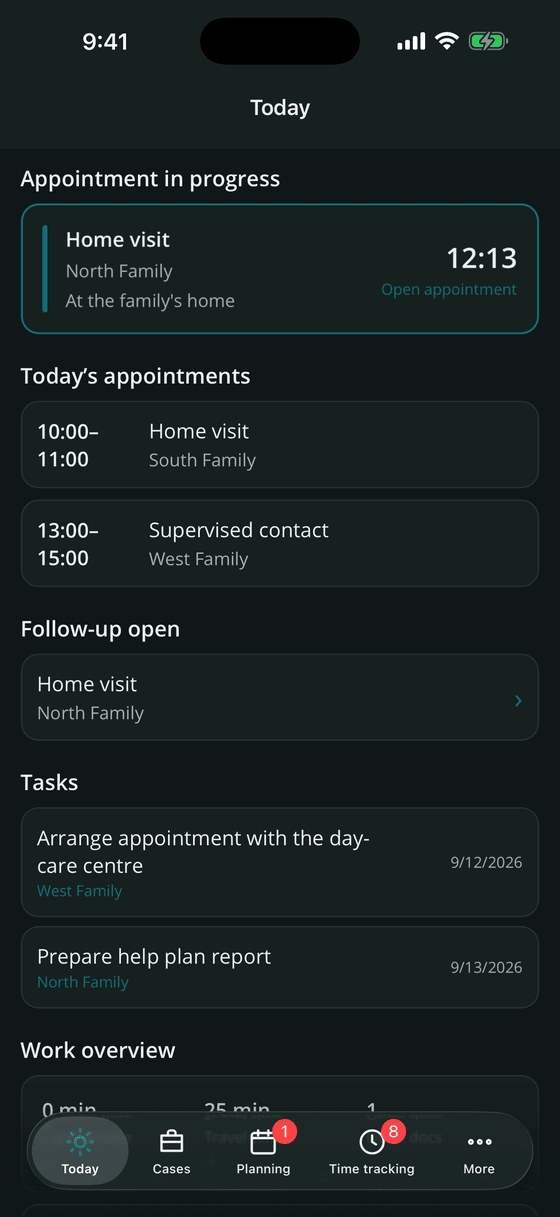
What changes in everyday work
After a home visit, there are notes to write, hours to record and reports to prepare. Focus Family connects these tasks: information recorded during a visit is available for the follow-up, the case file and the monthly activity report.
Documentation while it is still fresh
Practitioners capture observations with time stamps during the visit. Guided follow-up, dictation and reusable text snippets help them finish the record while the details are still fresh.
One entry instead of three lists
Create a time entry from an appointment with one tap, including travel time, mileage and the family's countersignature. The activity report draws on these records, reducing repeated entry at the end of the month.
Activity reports for funding bodies
See approved and recorded hours, contact ratios and signatures by case or practitioner. Team leads can review reports, close completed periods and export the results as PDF, Excel or CSV for billing preparation.
Your organisation controls its case data
Case data is encrypted on the device and shared through your own server. Your organisation manages access, devices and security policies centrally. Software Notion receives no case content.
Data protection
Data protection for sensitive case records
Home visits, shared devices and team handovers all involve sensitive information. Focus Family combines local encryption with clear access controls and a server your organisation operates itself.
Document visits without reception
Case files, appointments and documentation are available offline. Practitioners can continue a home visit when reception drops; changes sync with the organisation server once a connection returns.
No vendor cloud
There is no Software Notion server that holds your case data. Synchronisation only ever happens against a server your organisation runs itself.
Start locally, connect your team
Practitioners can start using the app locally without an account or server. Connect it to your organisation when you need shared cases and central administration. Paid licences require periodic online validation.
Security policies for your organisation
Your organisation can require an app lock and two-factor authentication, approve devices and set access rules centrally. Security-related changes are logged in the admin panel.
The way you already work
Focus Family follows the practical steps of a home visit: prepare with the case history, capture observations during the appointment and complete the documentation afterwards.
Prepare
Before the appointment: the last record, open agreements and current goals on one screen – plus your own preparation note.
Accompany
During the appointment: start the timer, set short time stamps for observations, agreements and next steps, capture photos, video markers or a voice memo.
Follow up
Right after: four short questions, travel time and kilometres, optionally a signature from the family – and the time entry is created with a single tap.
Document
From your notes a clean record is written, filed in the case file and exported in the format the office expects.
Features
Case management software for family support teams
From care planning to activity reports, your team works with the same case information. Focus Family combines mobile documentation with the tools your organisation needs for coordination and administration.
Case records and care planning
Keep family contacts, goals and care plan reviews together with the approved hours. The case timeline shows progress and recorded time, giving practitioners and team leads a basis for the next review.
- File number, type of help, start and end, colour marker and archiving
- People with roles, addresses and phone numbers – call or write straight from the app
- Measures, institutions and cost bearers in a structured catalogue
- Goals with sub-goals, progress log, predecessor goals and review points
- Roadmap timeline: goal tracks, help plan meetings and recorded time against the approved quota
- Approved hours quota per case with a live usage bar
- New in 1.1: further roles such as siblings, grandparents or step-parents with maternal or paternal lineage, plus more personal details
- New in 1.1: export the case cover sheet as PDF or Word, pseudonymised if required, and create new cases from a cover sheet (PDF, Word, photo or scan); with Pro, on-device AI fills in missing details
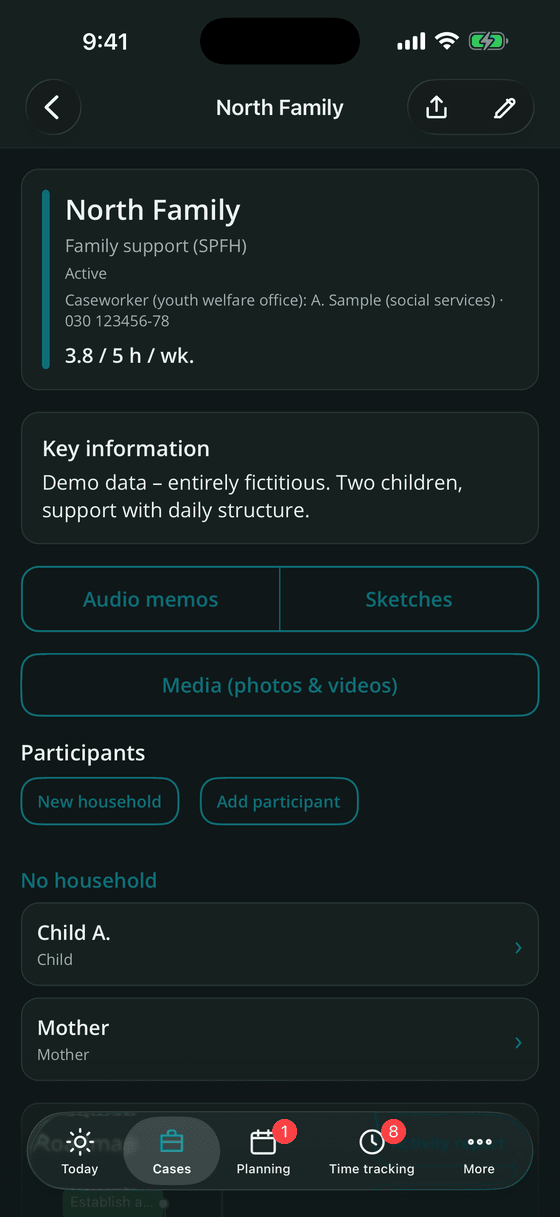
Planning: appointments, series and tasks
Calendar and to-dos live on one screen. Overdue items first, then appointments and tasks grouped by day.
- Appointment types: home visit, supervised contact, handover, help plan meeting, phone call and more
- Recurring series – daily, weekly with weekdays and "every N weeks", or monthly; editing asks for this one, this and following, or the whole series
- Location pre-filled from the case address, reminder minutes before, navigation with one tap
- Tasks with due date, priority and case assignment; a red badge counts what is overdue
- Optional sync with the device calendar – neutral or with case details
- Deputising: hand a case to a colleague for a defined period, for example during holidays
- New in 1.1: record trips with their GPS route, review them on the map and take kilometres and travel time straight into the time entry – also from Apple Watch
- New in 1.1: open the matching case automatically at its address – optional, off by default; your location stays on the device
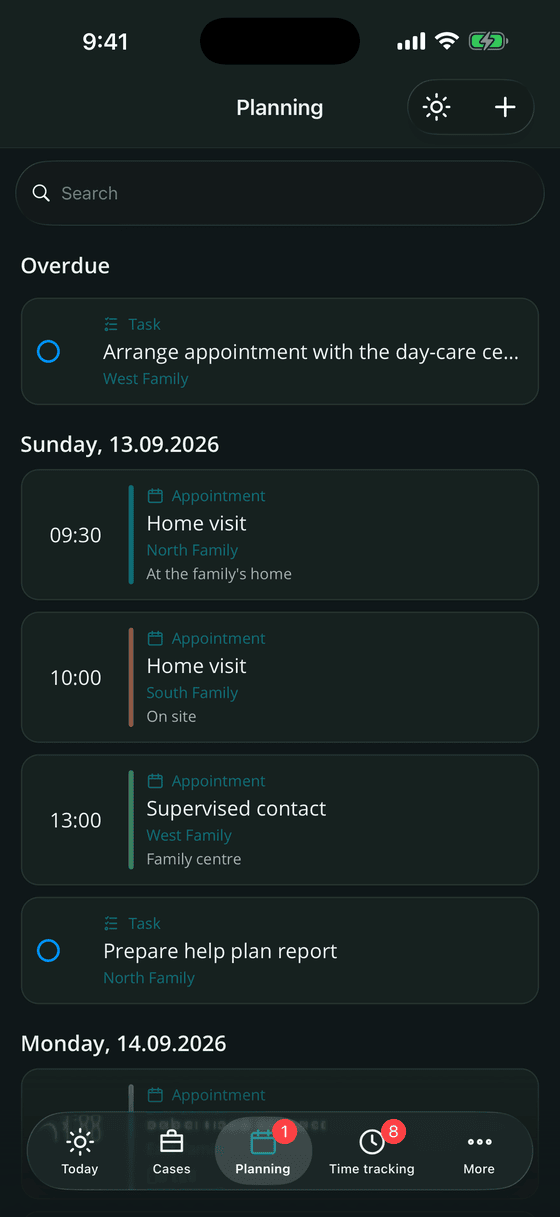
Documentation in every form
Dictate a progress note, annotate a video for Marte Meo work or draw a genogram: practitioners choose the format that fits the visit. Shared text snippets help your team use consistent wording.
- Progress documentation with reusable text snippets – personal, team-wide or organisation-wide
- Dictate instead of type: speech recognition runs on the device, nothing is uploaded
- Photos and videos with time markers and notes – useful for Marte Meo work – plus cropping and annotation
- Handwritten sketches for genograms, room plans or network maps, with lined, narrow-lined or squared paper and on-device handwriting recognition
- Voice memos with optional offline transcript
- Mark single entries as private: they stay on your own devices and never appear in the team or the admin panel
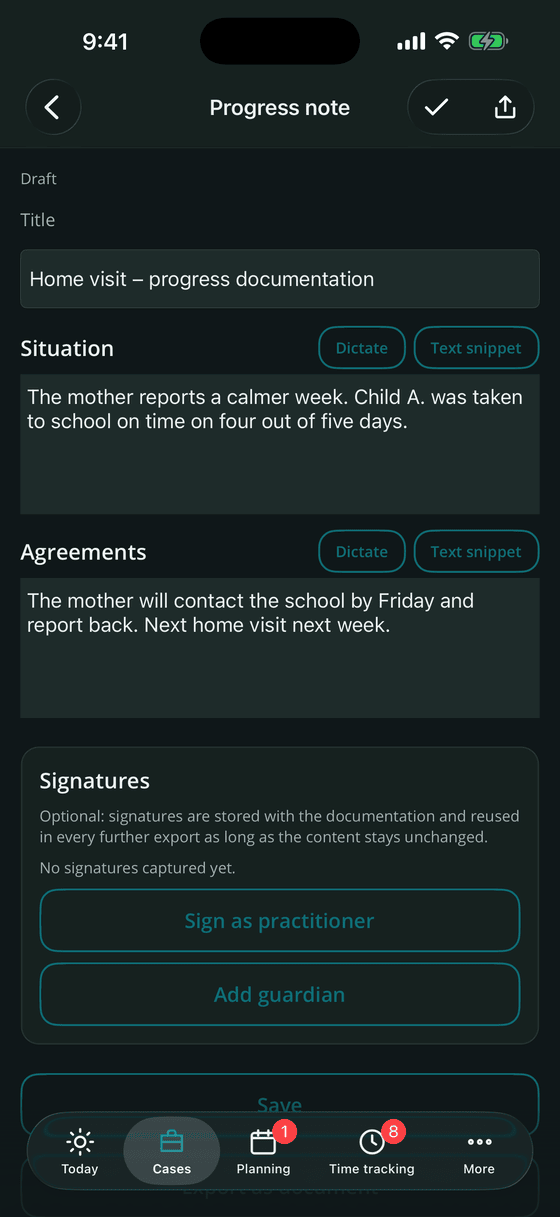
Electronic case file and forms
Keep forms, consents, reports and imported documents in the electronic case file. Practitioners can fill in your organisation's PDF forms and collect signatures directly on the device.
- Fill in your organisation's PDF forms directly in the app, including signature fields
- Document signatures from practitioners and legal guardians, captured on screen
- File sheet with evidence data: version, checksum, timestamp and author
- Text recognition for imported documents and photos, so scans become searchable
- Free-text and handwritten notes filed straight into the case file
- Sections such as contracts and consents, reports, proofs, imports and notes
- New in 1.1: document scanner with text recognition, new versions of form entries and import of permission-protected PDFs
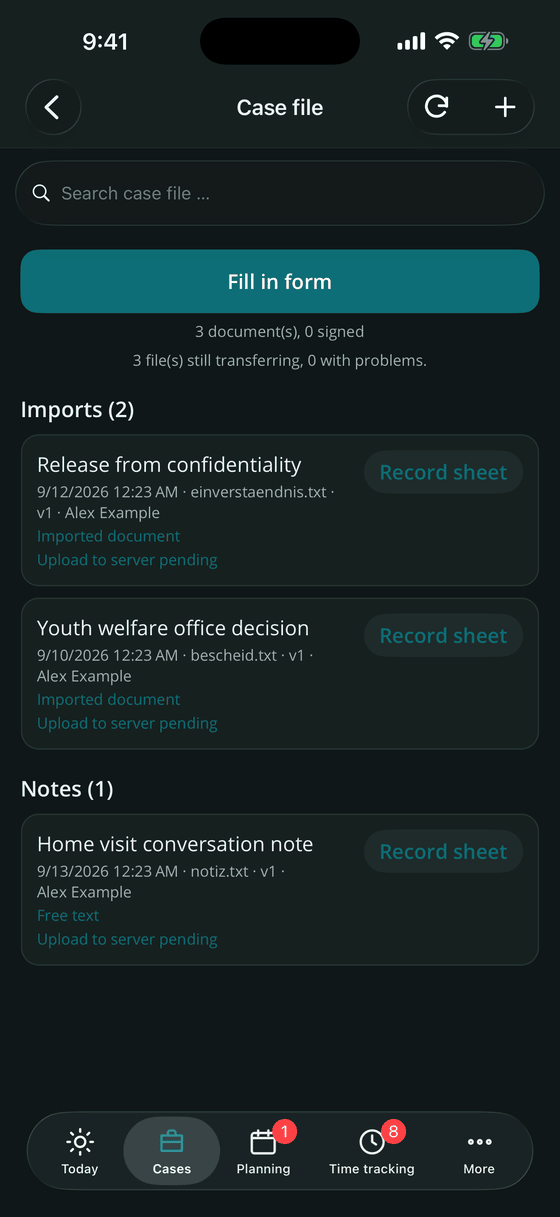
Time tracking, activity reports and billing preparation
Record contact, travel and documentation time once. Focus Family uses these entries for activity reports with approved and recorded hours, contact ratios and signatures, as well as invoice drafts for billing preparation.
- Activity types for client contact, travel and documentation; contact category is derived automatically and can be corrected
- Wording catalogue with ready-made phrases for upbringing, daily structure, stabilisation, social skills and network work – always available offline
- Travel time and kilometres calculated from a stored starting address, only on your explicit action
- Counter-signature by those concerned, on screen; what was signed is frozen and protected by a checksum
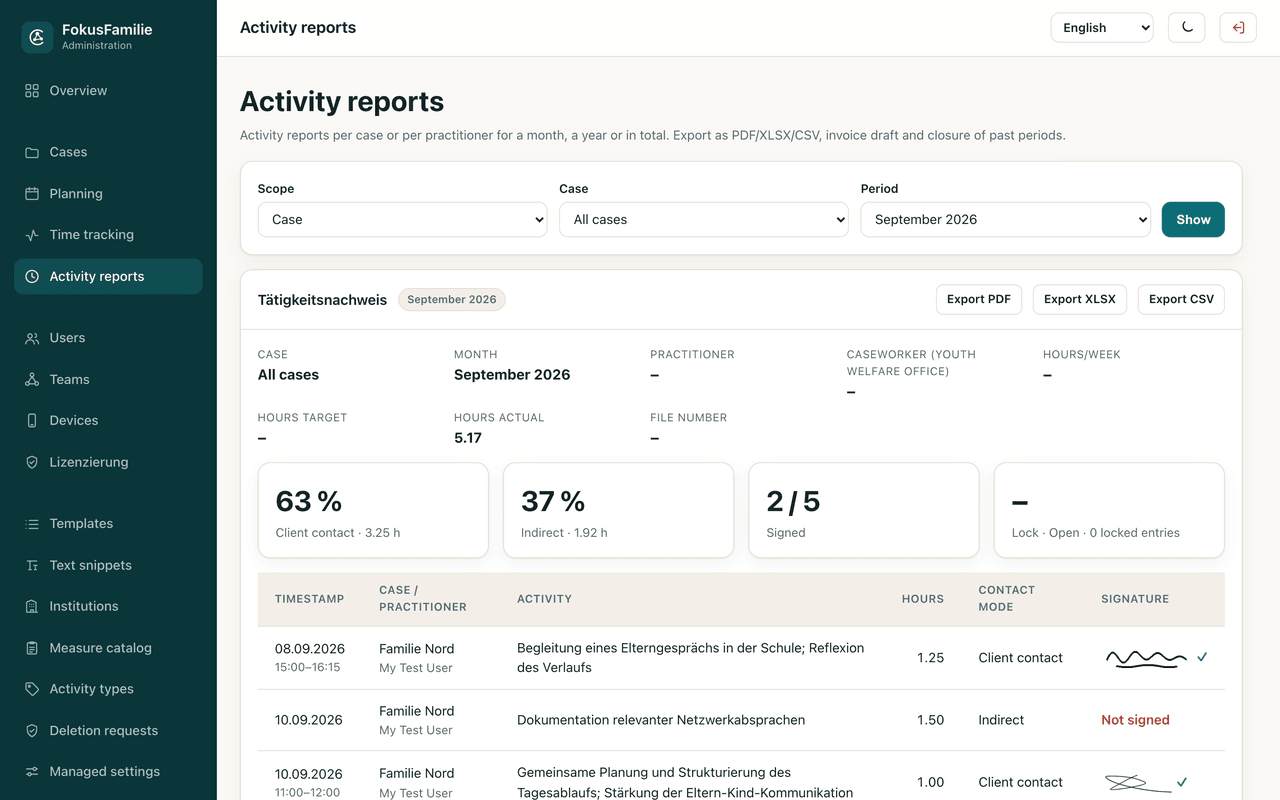
- Proof of activity per case or per practitioner, per month, year or in total – with target/actual against the quota, contact ratio and signature rate
- Export as PDF, XLSX or CSV, plus an invoice draft with cost bearer and line items
- Team leads close past periods; closed entries are locked on every device and can only be reopened with a reason
- E-invoices in the German XRechnung 3.0 standard for youth welfare offices and authorities – with Leitweg-ID and mandatory-field check (Pro)
- Practice overview for freelancers: hours, kilometres and revenue per month (Pro)
- New in 1.1: activity records with record number, checksum and QR code
- New in 1.1: e-invoices also as ZUGFeRD (PDF/A-3) (Pro)
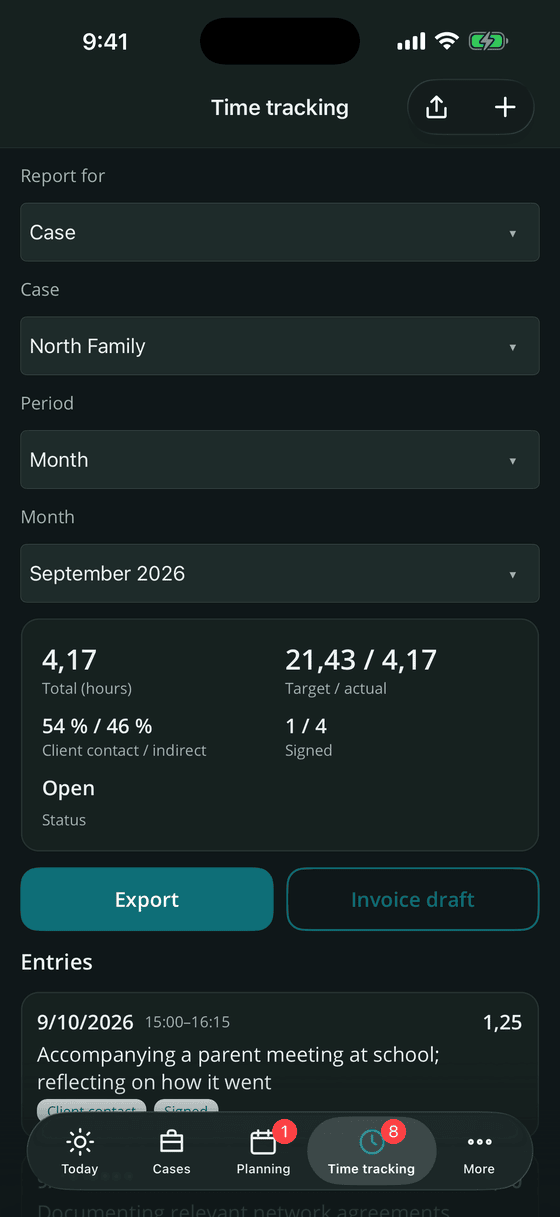
Export, reports and privacy cleansing
Use your organisation's report templates and choose which information each recipient receives. Export profiles, pseudonymisation and redaction help prepare documents for funding bodies, families and case handovers.
- Formats: PDF, DOCX, XLSX, CSV, JSON, ZIP bundle or an encrypted .ffexport package
- Export profiles store recurring settings, for example "minimal data" with pseudonymisation
- Privacy cleansing removes addresses, e-mail addresses and phone numbers, pseudonymises names and excludes internal notes or professional assessments
- PDF preview and an editing view where marked text can be redacted – the content is replaced, not just covered
- Period reports: pick a date range and the content types, and the app assembles contacts, agreements, goals, incidents and network contacts
- Central DOCX templates and export profiles can be distributed by the organisation as a baseline
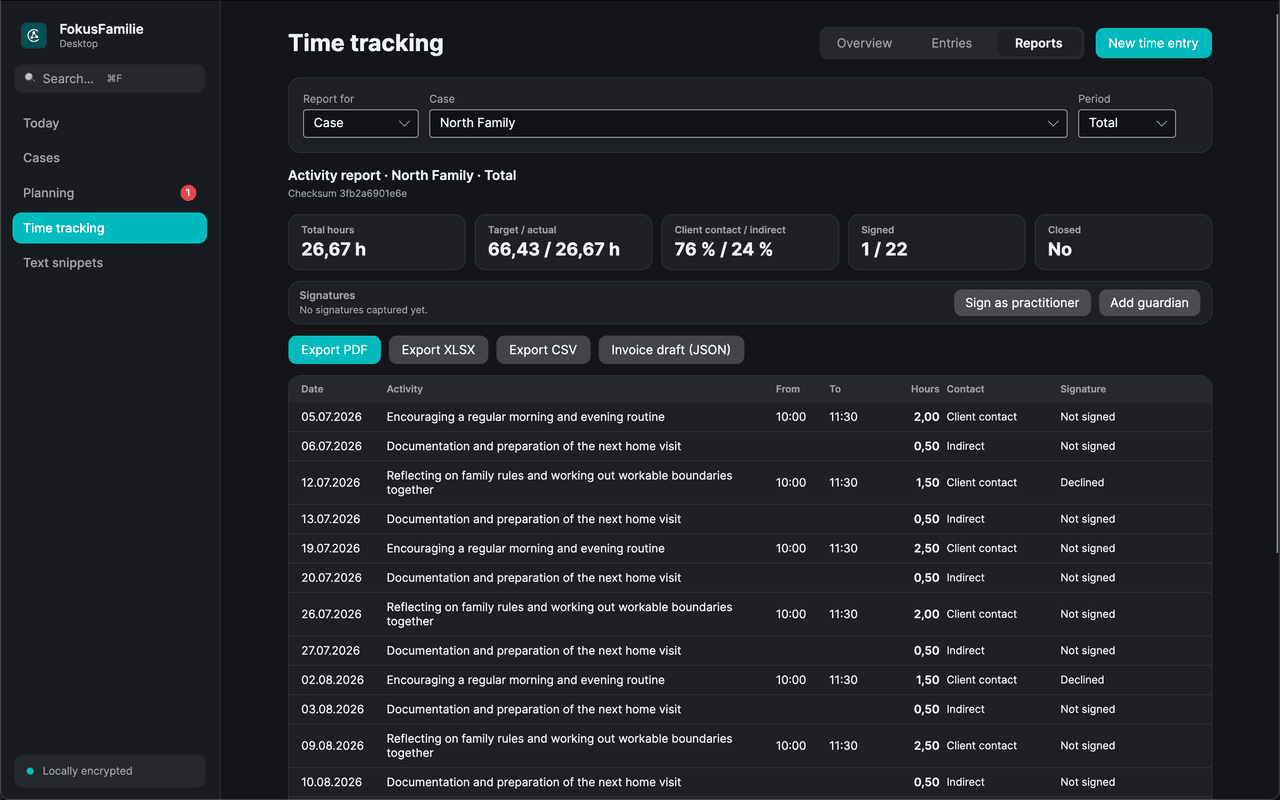
Offline AI assistant
Turn notes and voice memo transcripts into a draft record for the practitioner to review. The optional AI assistant runs on the device, so case content is not sent to an external AI service.
- Helps to phrase documentation from your own notes and time stamps
- Turns a voice memo transcript into a neutral draft record that you always review yourself
- Gives non-binding professional and legal orientation around German child and youth services law (SGB VIII)
- The model is chosen by the organisation in the admin panel; the app downloads it once
- Switched off by default and can be disabled at any time
- Not a diagnosis, not legal advice and never an assessment of a person
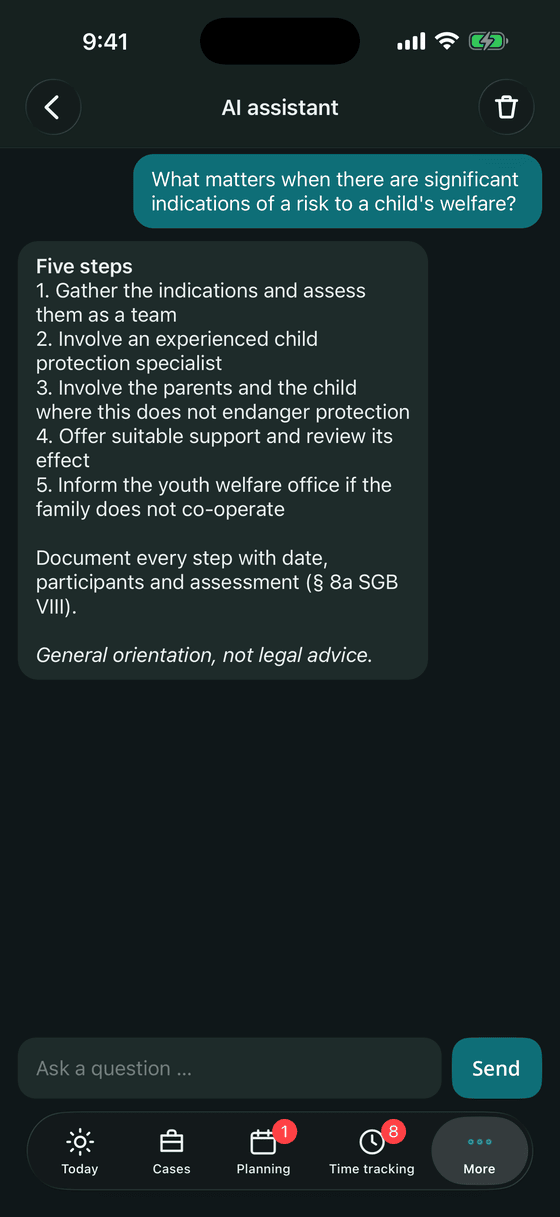
App lock and everyday protection
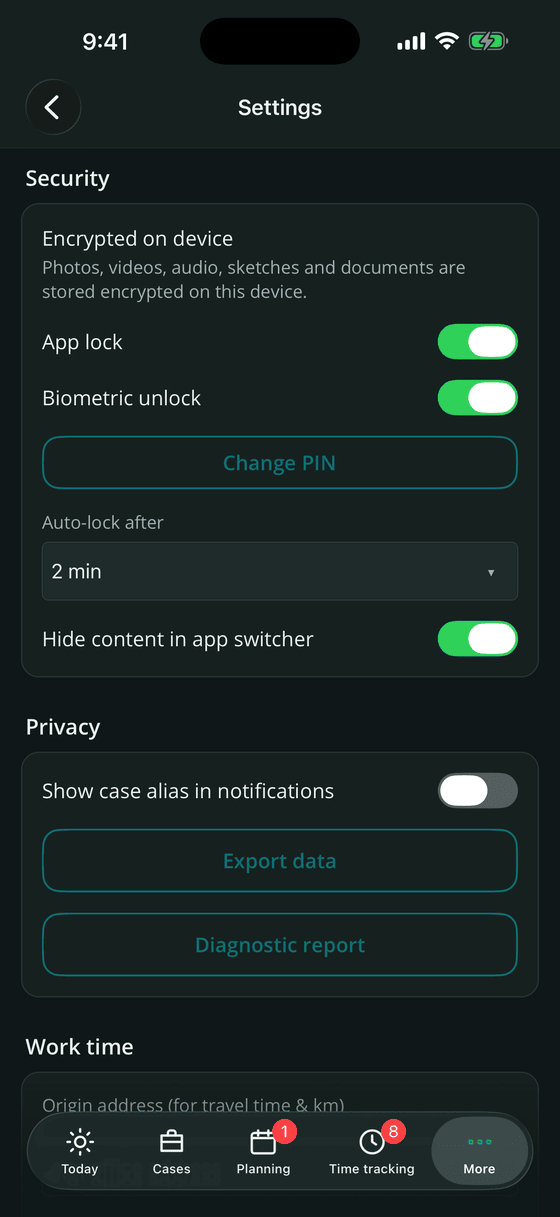
Protect mobile case records with encryption, a PIN and biometric unlocking. Your organisation can require the app lock centrally; automatic locking and hidden app previews help protect information during everyday use.
- App lock with a PIN of at least six digits, plus Face ID, Touch ID or the platform equivalent
- Brute-force protection: three free attempts, then a waiting time that doubles up to roughly 85 minutes – it survives an app restart
- Automatic lock after a chosen idle time and when returning from the app switcher
- Screenshot protection and a hidden preview in the app switcher
- Notifications can be limited to the case alias, so nothing readable appears on the lock screen
- Forgot the PIN? With a connected server you can sign in with e-mail and password from the third failed attempt and set a new PIN; admins can also release the lock
Reports, deadlines and child protection
Focus Family takes routine work off your hands: the app keeps an eye on approvals and help plan meetings, drafts the development report and guides you through a structured child protection assessment.
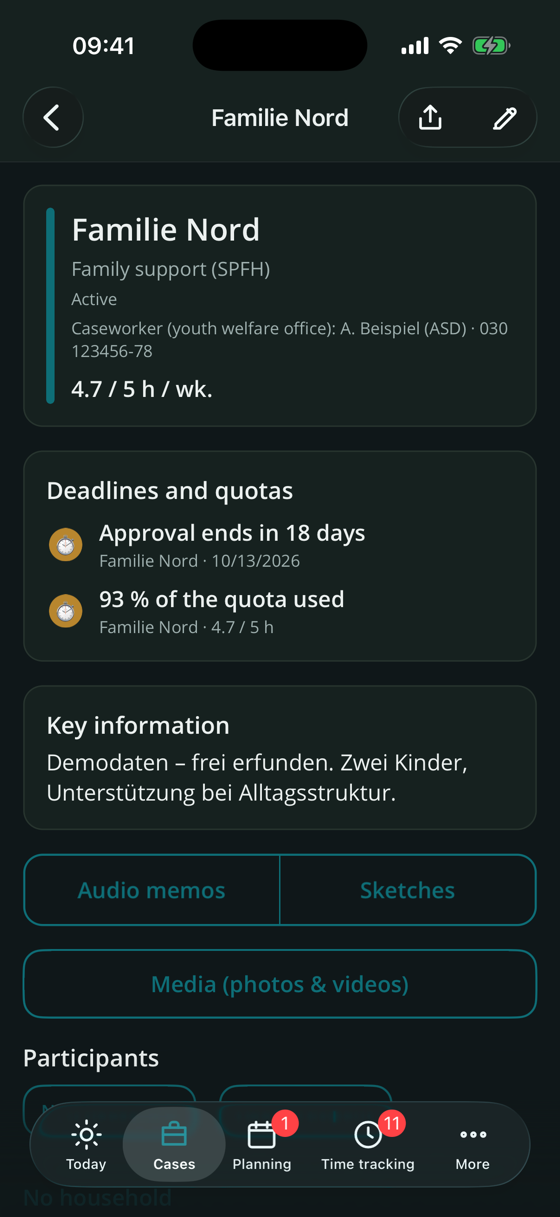
- Deadline radar for approvals ending, help plan meetings and quotas running low – with a forecast of when a quota will be used up
- Child protection under § 8a SGB VIII: guided risk assessment with specialist consultation, protection plan and follow-up tasks
- Report assistant (Pro): development report from notes, goals and agreements – with source references, optionally pre-written by the offline AI
- Structure dictations (Pro): observation, intervention, agreements and tasks straight from the voice memo
- Genogram and eco-map (Pro) drawn automatically from the participants – as PDF or to annotate
- Agreements in easy-read language and pseudonymised case vignettes for supervision (Pro)
- New in 1.1: genogram arranged by generation and family side, showing deceased persons, separations and care relationships (Pro)
One app, every screen you work on
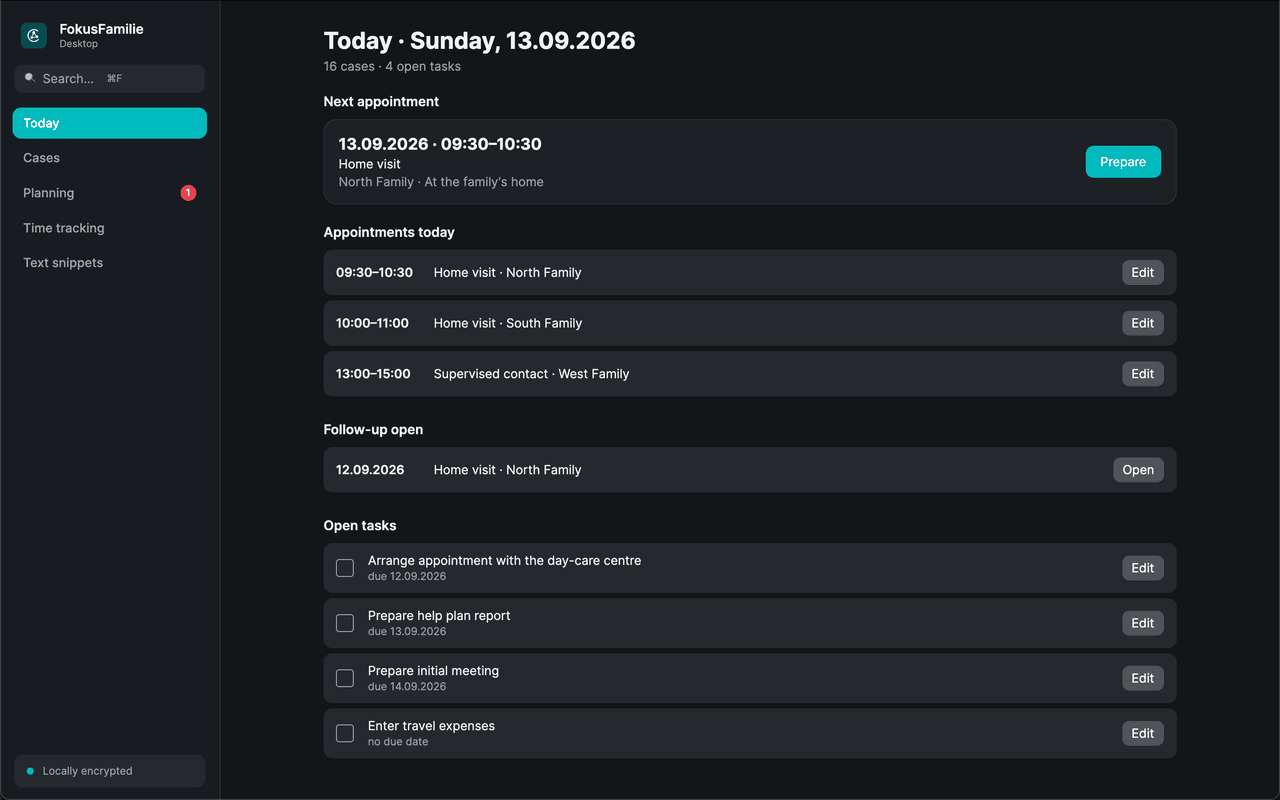
Document visits on a phone or tablet and prepare longer reports on macOS, Windows or Linux. The Apple Watch keeps appointments and time tracking within reach. Team synchronisation runs through your organisation's server.
iOS / iPadOS
The full app on iPhone, built for one-handed use during an appointment; on iPad and the unfolded iPhone Duo with adaptive multi-column layouts, including Split View.
Download on the App Store →Android
Phone and tablet, including screenshot protection at operating-system level.
Get it on Google Play →watchOS
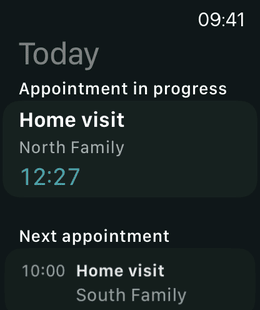
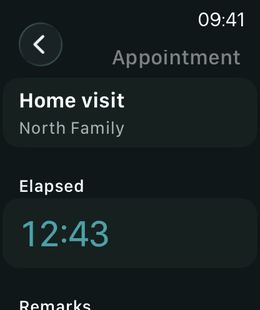
Next appointments, running time and notes on Apple Watch; complications and Live Activity show the running appointment. Trips can also be started and ended on the watch.
macOS
Desktop app with feature parity, keyboard search and a .pkg installer for Apple silicon and Intel – available for download on this page or through your organisation's admin panel.
Windows
The same desktop app as an MSI installer for x64 and ARM64, usable without an organisation server too – available for download on this page or through your organisation's admin panel.
Linux
The same desktop app as a .deb package for Ubuntu and Debian and as an .rpm package for Fedora, usable without an organisation server too – available for download on this page or through your organisation's admin panel.
Minimum system requirements
Focus Family supports the operating-system versions that still receive security updates. Older versions are not supported.
- iPhone and iPad
- iOS 17 / iPadOS 17 or newer. The local AI assistant requires iOS 26 with Apple Intelligence.
- Apple Watch
- watchOS 10 or newer, paired with an iPhone running iOS 17 or newer.
- Android
- Android 9 (API 28) or newer, phone or tablet.
- Windows
- Windows 10 version 22H2 (build 19045) or Windows 11, x64 or ARM64.
- macOS
- macOS 14 Sonoma or newer, Apple silicon or Intel.
- Linux
- Ubuntu 22.04, Debian 12 or Fedora 42 and newer, x64 or ARM64.
Self-hosting
Your own server for shared casework
Shared cases, planned cover and consistent templates need a common home. Your Focus Family server provides it on your organisation's own infrastructure. Manage teams, permissions, devices and reports in the browser while practitioners continue their casework in the app.
Device
Encrypted SQLite database, works offline. Private entries never leave your own devices.
Your server
ASP.NET Core and PostgreSQL in containers, behind your own reverse proxy with your own TLS certificate.
No vendor cloud
Software Notion never receives case data. Only licence validation talks to an external service – without case content.
Tools for team leads, administration and IT
Assign cases, arrange cover, distribute templates and review activity reports in one admin panel. Separate professional and technical permissions let you assign responsibility to the right people. Entries marked private remain outside the team's view. The panel also shows the history of a case: which details were changed and when.
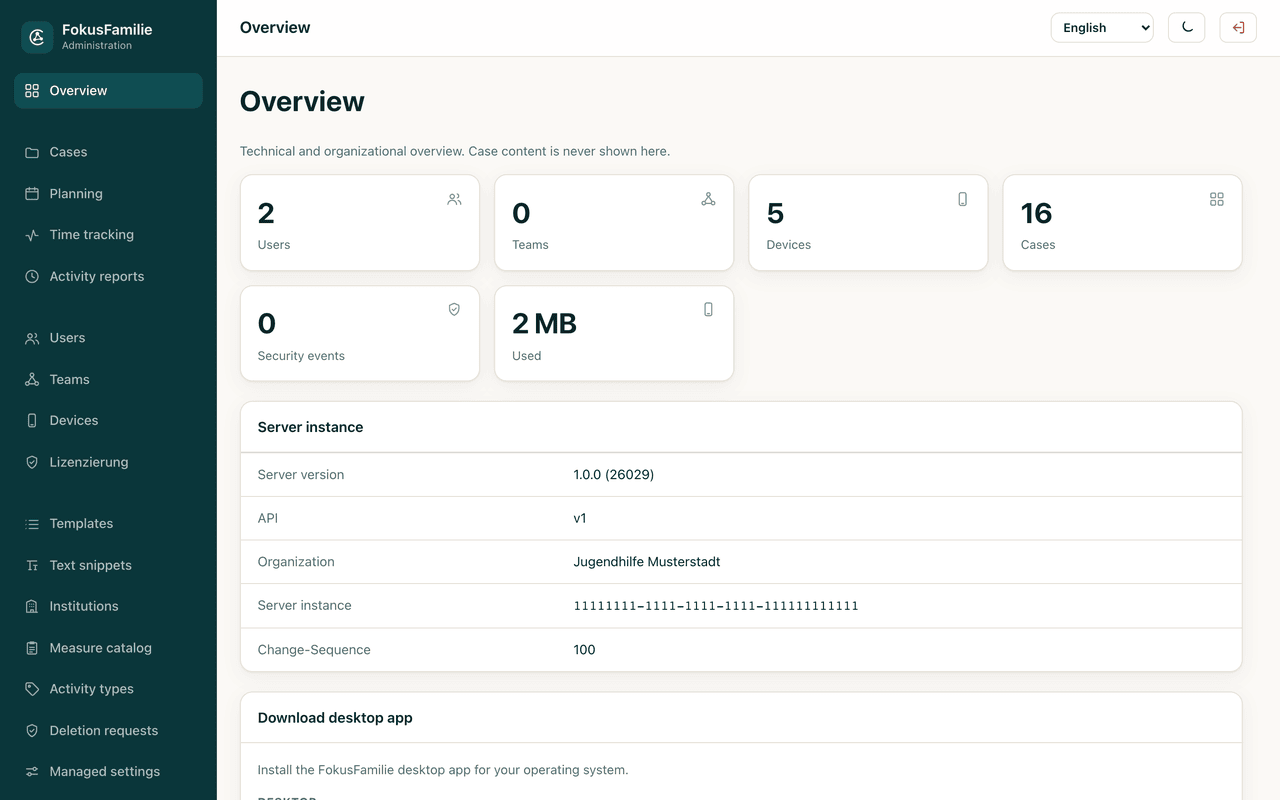
Overview
Users, teams, devices, cases, security events and storage at a glance, plus server version, organisation and instance ID.
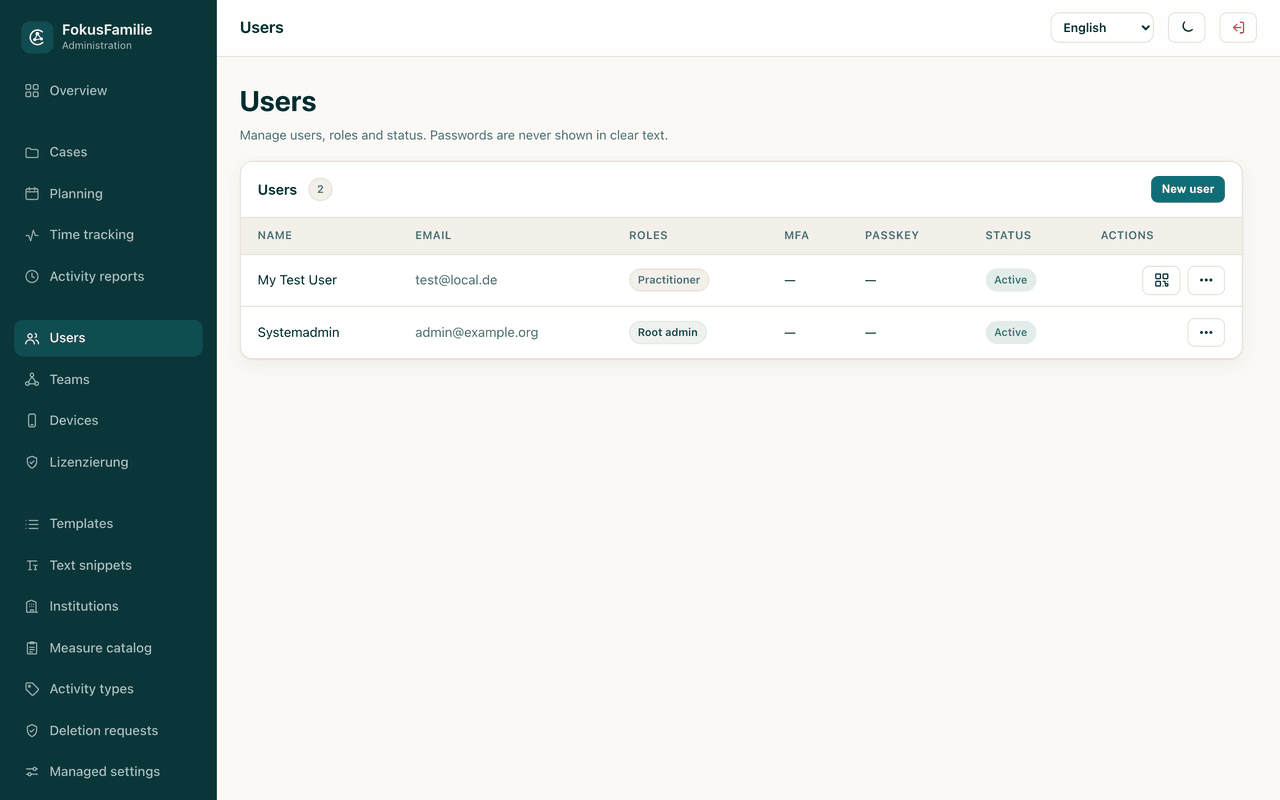
Users and permissions
Two separate admin levels – technical and professional – plus fine-grained permissions. IT can maintain the system without ever seeing case content. Sign-in via single sign-on (OpenID Connect or SAML 2.0) is available, and practitioners can belong to several areas.
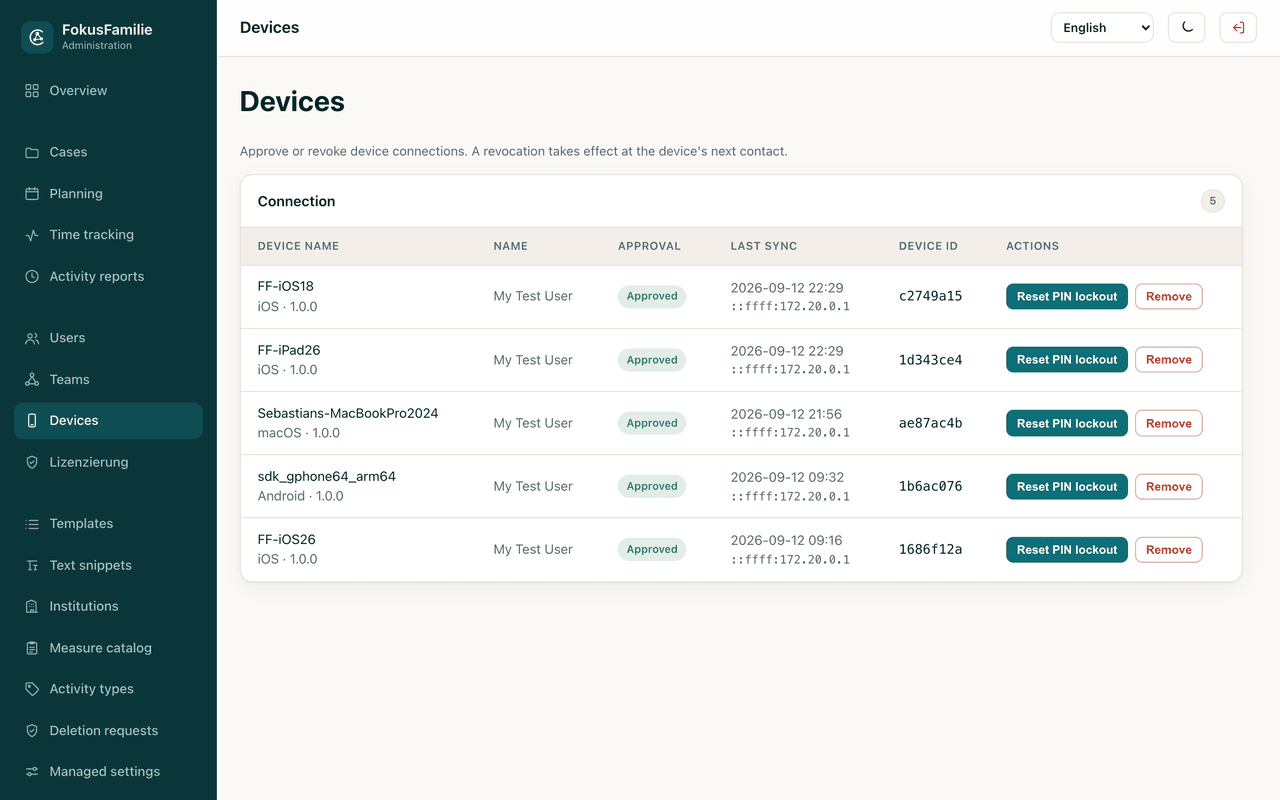
Devices and licence seats
Approve and block devices, assign licence seats and reset a forgotten PIN lock from one place. Devices are connected and disconnected through the admin panel, so your organisation retains control of its registered devices.
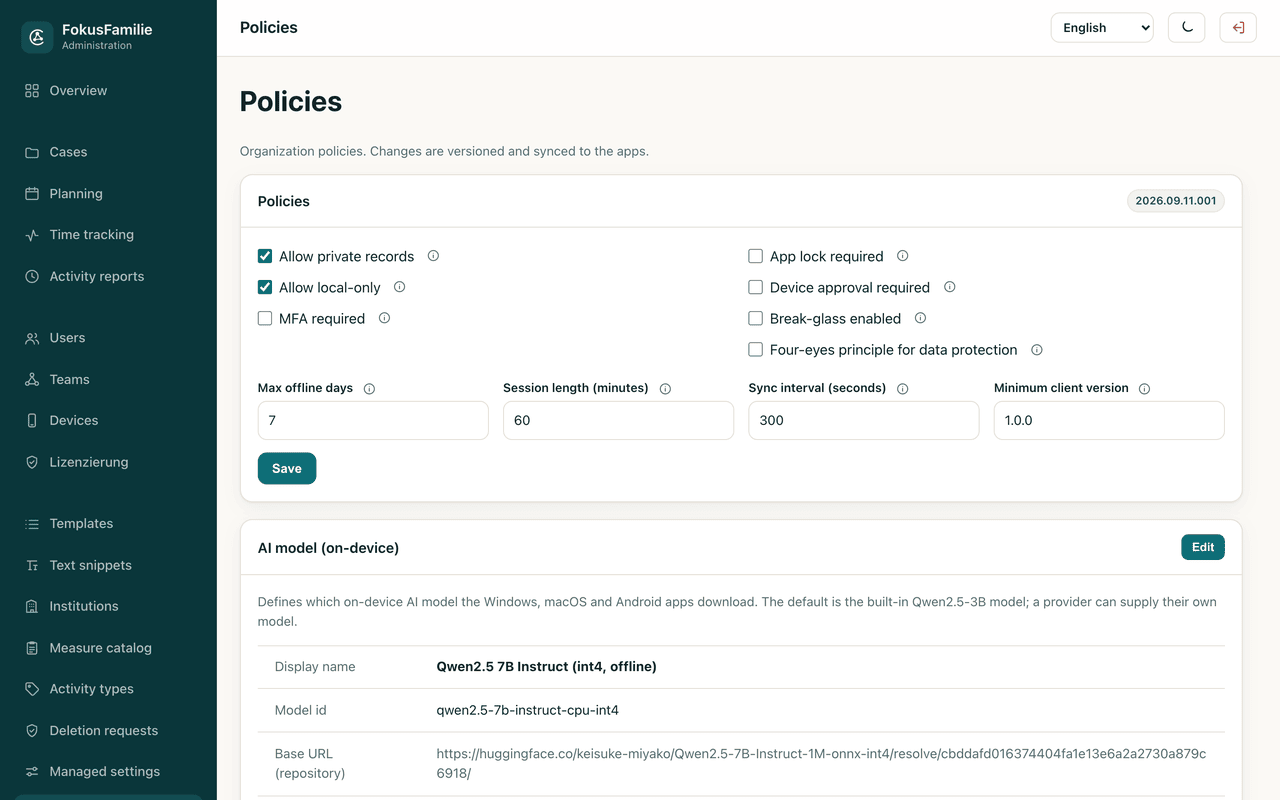
Organisation policies
Require MFA, require the app lock, set maximum offline duration, session length, sync interval, minimum client version, device approval and break-glass emergency access. Changes are versioned and distributed to every app.
Time tracking and proof of activity
Team leads correct entries inside their own area of responsibility, close past months or years and reopen them with a reason. Signatures are shown with a checksum indicator – a warning appears if image or summary was altered. Exported activity records carry a record number, a checksum and a QR code that lets you verify their authenticity in the admin panel.
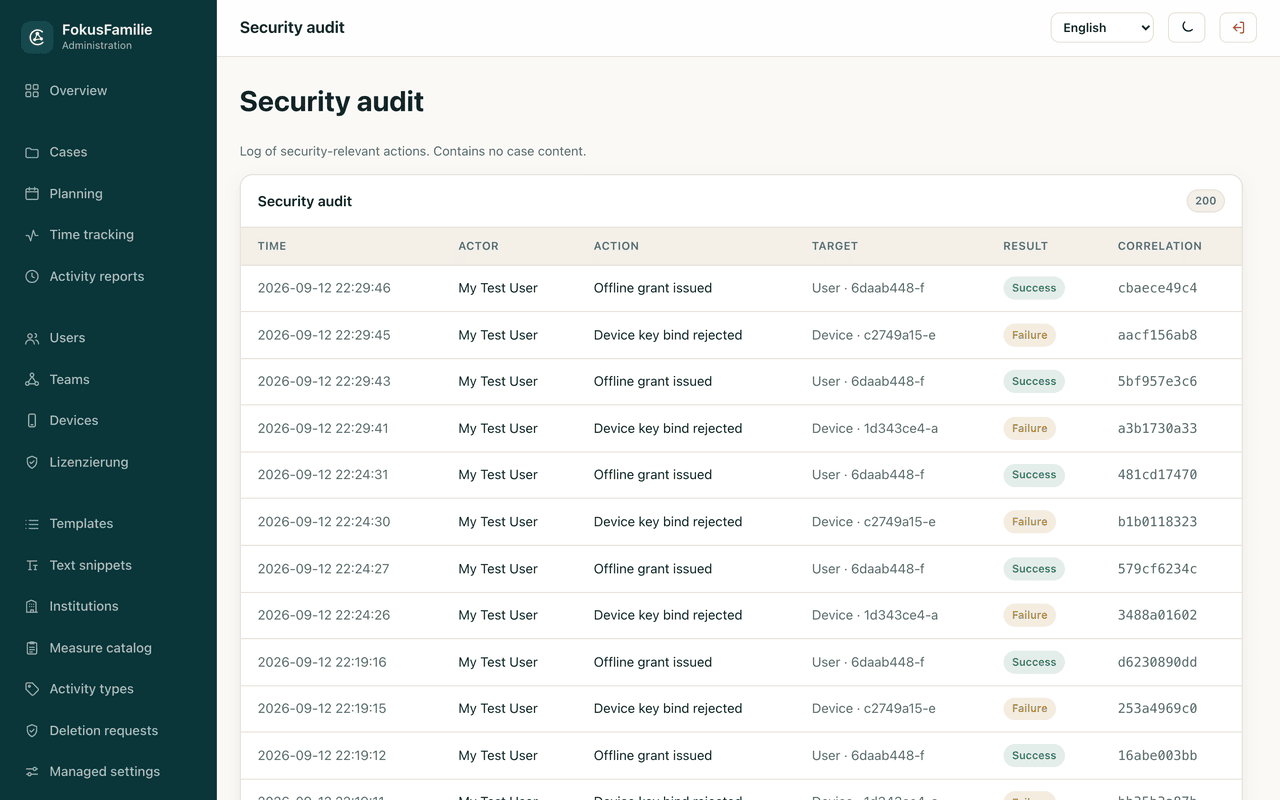
Security audit
A log of security-relevant actions with time, actor, action, target and result – who did what and when, never what a case contains.
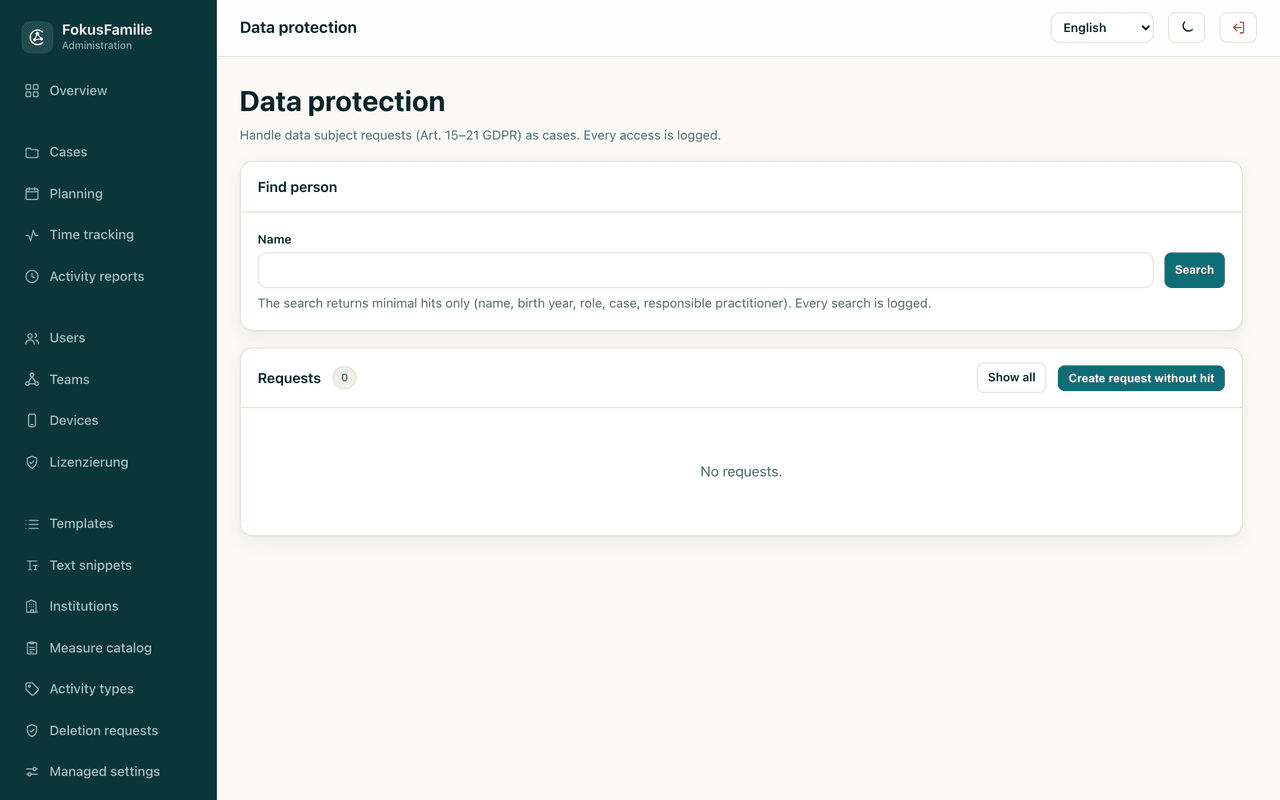
Data protection and GDPR requests
A dedicated area for the data protection officer: subject access requests, deletion requests with a documented legal basis, restrictions under Art. 18 and objections under Art. 21, with a four-eyes release that small organisations can switch off.
Interfaces to case management systems, DMS and e-files
REST API with webhooks, CMIS, XÖV/xdomea, SCIM, calendar subscriptions and SIEM forwarding, set up in the admin panel. New connections start as drafts and only become active after approval by a second person from data protection. Pseudonymisation and final documents only are preset; a transfer log, a review page for incoming data and an emergency stop for all outgoing transfers are included.
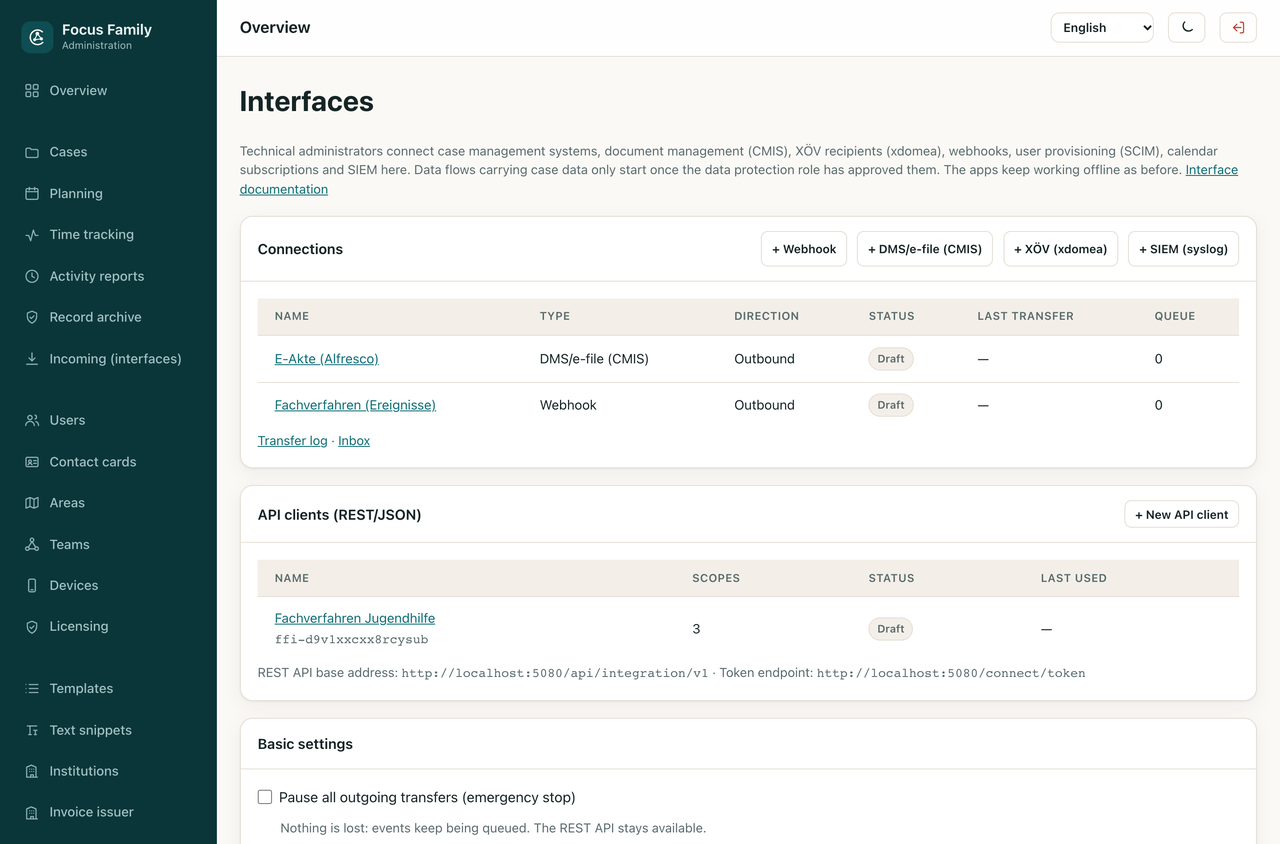
Screenshots from the running app and the admin panel – with demonstration data, not real cases.
What operating it looks like
- Containerised stack: Focus Family server, PostgreSQL and a ClamAV malware scanner, started with Docker Compose
- TLS terminates at your own reverse proxy; nginx and Caddy examples are included
- Schema migrations run as a separate one-shot service – the application itself never executes DDL
- Backup and restore scripts ship with the stack; a deployment runbook covers clean install, update and restore
- Uploads are size-limited and virus-scanned; in production the scanner fails closed
- Blob contents are encrypted at rest on the server as well
- Health checks, rate limiting, security headers, CSP and HSTS are configured out of the box
What your organisation needs to consider
- Server operators have direct access to the database and file system
- The app cannot protect data on a compromised or rooted operating system
- Exported files must be protected outside the app
- Pseudonymised exports can still contain personal data
- Restoring an encrypted backup requires both the backup file and its password

Official IT partner
BITechS – IT services with youth welfare experience
Software Notion works with BITechS from Rahden, Germany, to set up and run Focus Family. BITechS is a long-standing, experienced IT service provider for youth welfare offices, youth welfare organisations and social institutions and knows the requirements for handling social data. Its services go well beyond Focus Family.
- Needs analysis, planning and setup of your own Focus Family server
- Procurement and setup of hardware and devices, data migration
- Privacy-conscious environments for social data with a role and permission concept
- Maintenance and updates outside working hours
- Support through a ticket system with a fixed contact person
Data protection
Data protection for child welfare services
Your organisation is responsible for sensitive information about children and families. Focus Family supports that responsibility with encrypted storage, controlled access, password-protected backups and documented processes for deletion requests.
Encrypted at rest
Every record is serialised and stored fully encrypted with AES-256-GCM. Only opaque index columns – GUIDs, ISO dates, status values – remain readable so the database can filter without decrypting. An automated test reads the raw database file and verifies that no plain text is inside.
Keys never leave the device
The 256-bit master key is generated by a cryptographic random generator and protected by the platform secure storage – iOS and macOS keychain, Android keystore, Windows DPAPI. On Android, automatic cloud backup of the key is disabled so it can never end up in a Google backup. Keys can be rotated while the app is in use: every record carries the id of the key it was written with, the new key is persisted before anything is rewritten, and an old key is discarded only once nothing still depends on it – on the device and, for file attachments, on your server.
Password-protected backups
A .ffbackup file derives its key with PBKDF2-HMAC-SHA256 over 310,000 iterations and encrypts the payload with AES-256-GCM. Restoring validates the whole file before the first destructive step, so a wrong password never leaves half-overwritten data.
No tracking, no analytics
There are no analytics, tracking or advertising SDKs in the app. Network access happens for exactly two reasons: synchronisation with your own server and licence validation. Nothing else phones home.
Logs without content
Logs contain codes and identifiers instead of content. A redactor defensively masks e-mail addresses and phone numbers and truncates free text. No real names, notes, document contents or addresses are written to a log – and crash reports carry no case data at all.
Deletion goes through review
When a practitioner deletes data it is first only marked. The organisation decides: keep it with a documented legal basis, or delete it physically and irreversibly, leaving nothing but an empty deletion record.
MFA, passkeys and break-glass
The server supports two-factor authentication with TOTP and passwordless passkey sign-in. Emergency access to a case outside the regular assignment is time-boxed to at most 120 minutes, requires MFA and a documented reason, and is always written to the audit log.
Security reviews and automated tests
Focus Family has undergone several security reviews. The issues identified were addressed, with automated tests covering encryption, access controls and other security mechanisms as development continues.
Threat and countermeasure
| Risk | Countermeasure |
|---|---|
| Device lost or stolen | App lock with PIN and biometrics, brute-force delay, field encryption at rest |
| Somebody reads the database file | All sensitive fields encrypted with AES-256-GCM, verified by a test against the raw file |
| Shoulder surfing or the app switcher | Screenshot protection and a covered app switcher preview |
| A backup is passed on | Backups encrypted with PBKDF2 and AES-GCM; unreadable without the password |
| Data leaking through third-party SDKs | No analytics, tracking or advertising SDKs; network access only for sync and licensing |
| Stolen sync credentials or devices | Device registration with proof of possession, server-side revocation, disconnect only through the admin panel |
ISO standards
ISO standards and your certification
It is always your organisation that gets certified, never a piece of software. What an application can do is threefold: implement the technical measures your management system requires anyway, provide you with the evidence for them, and stay out of the way of your certification. How far Focus Family does that, we have assessed and written down in full.
ISO/IEC 27001 – Information security
Of the 93 controls in Annex A, 66 can be addressed by software at all. Focus Family implements 40 of them fully and 26 partially, none is open – from server-side authorisation through encryption with rotatable keys to a tamper-evident audit log. The remaining 27 concern your organisation, your staff and your premises.
ISO/IEC 27034 – Application security
Every security control is paired with a check that demonstrates its effectiveness: each control is backed by a test that fails as soon as the control is removed. Alongside it, a threat model covering 28 scenarios that names the residual risks instead of glossing over them.
ISO/IEC 25010 – Product quality
Six of the nine quality characteristics are fully evidenced, among them reliability, maintainability and security; performance efficiency, interaction capability and safety are partially evidenced. For accessibility, screen reader labels are complete and a statement exists; testing with real assistive technology is still outstanding.
ISO/IEC 29147 and 30111 – Vulnerabilities
The reporting channel is published: contact address, scope and deadlines by severity, plus a reporting function in the app, on the desktop and in the admin panel that checks the text for personal data before producing it. Vulnerabilities that are found get verified, remediated and safeguarded by a test.
ISO Conformity Profile
For procurement, the information security officer and the data protection officer. With a division-of-responsibility matrix for vendor and operator, a per-standard separation of what is delivered and what is missing, the deliberate limits of the product, and eleven questions you should be asking us.
Download PDF PDF · EnglishFindings and Remediation Plan
Technical annex for your IT department. 14 open individual findings with impact and proposed remedy – none of high criticality – together with evidence for the 16 findings already remediated, a prioritised remediation plan, and the complete coverage table across all 93 controls of Annex A.
Download PDF PDF · EnglishAssessed 1 November 2026, product state 1.3.0. Both documents exist in German and English and are reissued after every material change to the product – please ask for the current version before making a procurement decision.
Transparency
Artificial intelligence in development
We use AI tools during development – above all for writing texts, documentation and translations, and to a lesser extent for programming. We state it here because you should know how the software you deploy in child and youth services comes about.
- Nothing reaches a release unreviewed. Every line produced by an AI tool – text as much as source code – is read, checked, adjusted and owned by a human being.
- Statements of fact and of law are checked against reality. Manuals, data protection texts and statements about standards are reconciled with the actual state of the source code and the configuration rather than taken on trust.
- Security-relevant code passes additional controls: automated tests, a check of every third-party library on each build, and documented security audits whose actions are tracked individually.
- Your data is entirely excluded from this. Neither case content nor data from your installation enters any development, training or AI process. There is no telemetry to us.
Not to be confused with the AI assistant inside the app: that one is optional, switched off by default, and runs exclusively on the device.
Where your team saves on administration
The benefit is in the everyday work: fewer details copied between systems, less searching before a visit and activity reports built from hours already recorded. Here is how Focus Family supports those tasks.
No transferring between systems
Appointments, time entries, mileage and activity reports use the same records. Your team can prepare monthly reports from the entries already made in the app.
Writing while you remember
Time stamps during the visit and four follow-up questions help practitioners capture the details straight afterwards, reducing the need to reconstruct visits later.
Phrases you do not retype
The wording catalogue and your own text snippets cover the recurring sentences. Dictation handles the rest without a keyboard.
Reports at the push of a button
Proof of activity per case or practitioner, with target/actual, contact ratio and signature rate, exported as PDF, XLSX or CSV – instead of assembled by hand at the end of the month.
Preparation without searching
The last record, open agreements and current goals appear on one screen instead of being looked up in three folders.
Planned cover with the case history at hand
Deputising hands a case over for a defined period, with access that starts and ends automatically. Holiday cover can be planned weeks in advance.
Focus Family supports practitioners in organising and documenting their work. The rules of your organisation and the applicable law remain authoritative. The app makes no diagnoses, takes no legal decisions and does not assess people.
Editions
Basic case documentation is free. Professional is available as a subscription on the App Store, on Google Play and right inside the desktop app; one Focus Family ID works across all platforms. Organisations book their licence in the admin panel.
Free
For getting started
- Cases, participants, goals and checkpoints
- Planning with appointments, series and tasks
- Documentation with photos, videos, sketches and audio memos
- Case file with signatures and document import
- Time tracking with activity types and kilometres
- Deadline radar and child protection assistant (§ 8a)
- Encrypted local storage, app lock and a weekly on-device backup
- No licence reminders
- New in 1.1: trip recording and document scanner
Professional
For individual practitioners
- Everything in the free edition
- Report assistant for development reports
- Offline AI assistant and dictation structuring
- E-invoices (XRechnung and ZUGFeRD) and practice overview
- Genogram, easy-read language and case vignette
- Text snippets, PDF forms and advanced export
- Deadline reminders and unlimited backups to any location
- Contact cards and scheduling with clients
- Subscription, cancel any time in your store account
Organisation
For providers and teams
- Everything in Professional for every seat
- Self-hosted server with offline-first synchronisation
- Web admin panel: users, permissions, teams, devices, policies
- Shared cases, deputising and team text snippets
- Proof of activity across the organisation, period closing and audit log
- GDPR area for the data protection officer
- Seat-based licensing with an offline grace period
- Single sign-on (OpenID Connect, SAML 2.0) and several areas per practitioner
- Interfaces: REST API, webhooks, CMIS, XÖV/xdomea, SCIM, calendar subscriptions and SIEM
Every edition keeps the same guarantees: no vendor cloud, no tracking and full offline operation. A paid licence only needs to be confirmed online from time to time – reminders start on day three, and on day ten the app asks for validation. Your data is never touched. License agreement (EULA) · Terms of Service · Refund Policy
Where the project stands
Version 1.3.0 has been released. The app, desktop app, self-hosted server with admin panel and licence server are in operation.
-
October 2026
Version 1.0.0 released
Focus Family is available on the App Store and Google Play for iPhone, iPad, Apple Watch and Android phones and tablets. Server, admin panel and licensing are in operation; several rounds of security audits are complete. The desktop apps for macOS, Windows and Linux can be downloaded from this page and also work without an organisation server. Organisations can additionally distribute them through their admin panel, where server and admin panel updates can also be installed with one click.
-
October 2026
Version 1.1.0 released
Version 1.1.0 brings, among other things, trip recording with GPS route, also from Apple Watch, the case cover sheet with export and import using on-device AI, the document scanner in the case file, record numbers with QR code, e-invoices in ZUGFeRD format, and Turkish, Russian and Polish as additional app languages. Organisations gain single sign-on and several areas per practitioner. Existing servers can be updated with one click in the admin panel.
-
October 2026
Version 1.2.0 released
The desktop apps find new versions on their own and install them on request; every update is signed and checked before installation. Desktop installations on version 1.1 are updated once from this page to get there. Professional can now be subscribed to directly in the desktop app, and practitioners without a licence seat can use their own Professional subscription on the organisation’s server if the organisation allows it. Windows gets its own ARM64 version. Through Help & contact, practitioners and administrators send bug reports and questions straight from the app, desktop app and admin panel; the app detects names from cases before sending and blocks them. The app supports iPhone Duo and Split View. Existing servers can be updated with one click in the admin panel.
-
November 2026
Version 1.3.0 released
Organisations connect Focus Family to case management systems, DMS and e-files, identity management and SIEM through documented interfaces: a REST API with webhooks, CMIS, XÖV/xdomea with XTA 2 and FIT-Connect, SCIM, calendar subscriptions and syslog. Data flows with case data only become active once a second person from data protection has approved them. Saved trips can be corrected, long lists open faster, and after switching to a new iPhone the app guides safely through setting it up again. The admin panel shows the device model and app version of each device.
-
Next
Development guided by practice
Further releases build on feedback from practitioners and organisations and ship through the stores, this website and the admin panel.
Upcoming steps are a plan, not a commitment.
Manuals
Manuals as PDF
App use, team administration and server setup each have their own guide. Share the PDFs with practitioners, managers and IT staff as you prepare a trial or rollout.
User manual – app (iOS & Android)
Everything practitioners need on the phone and tablet: setup, cases, planning, documentation, case file, time tracking, export, backup and app lock.
Download PDF PDF · EnglishUser manual – desktop (macOS, Windows & Linux)
The desktop app in detail: installation, keyboard shortcuts, documentation editor, time tracking and the differences from the mobile app.
Download PDF PDF · EnglishAdmin manual (administration, team leads, DPO)
Roles and permissions, users, QR setup, MFA, teams, devices, policies, managed settings, proof of activity, audit log and the GDPR area.
Download PDF PDF · EnglishTechnical manual (IT, hosting, operations)
For your IT department: container stack, database roles, reverse proxy, certificates, backup and restore, updates, monitoring and the security model.
Download PDF PDF · EnglishInterfaces handbook (connecting case management systems and DMS)
For IT and system administrators: REST API and webhooks, CMIS, XÖV/xdomea, SCIM, calendar subscriptions and SIEM forwarding, each with setup, security and data protection.
Download PDF PDF · EnglishDesktop app
Focus Family for Windows, macOS and Linux
The desktop app also works on its own: with the free features, or with a Professional subscription purchased right in the app. Alternatively, it connects to your organisation's server. One Focus Family ID works across all platforms; a Professional subscription from the App Store or Google Play can be used on the desktop with your Focus Family ID and recovery code. The desktop app finds new versions on its own and installs them on request; every update is signed and checked before installation.
macOS
.pkg installer for Macs with Apple silicon or Intel.
Version 1.3.0
- Apple Silicon .pkg
- Intel .pkg
Linux
Packages for Ubuntu and Debian (.deb) and for Fedora (.rpm).
Version 1.3.0
- .deb · x64 Ubuntu / Debian
- .deb · ARM64 Ubuntu / Debian
- .rpm · x64 Fedora
- .rpm · ARM64 Fedora
System requirements and checksums
- Windows
- Windows 10 version 22H2 or Windows 11, x64 or ARM64.
- macOS
- macOS 14 Sonoma or newer, Apple silicon or Intel.
- Linux
- Ubuntu 22.04, Debian 12 or Fedora 42 and newer, x64 or ARM64. Requires a Secret Service keyring such as GNOME Keyring or KWallet.
The SHA-256 checksums of all installers are listed in one file, so you can check before installing that a download is complete and unaltered. Open SHA256SUMS
Questions organisations ask
Do we need a server?
No. The server is optional. Without it every practitioner works completely locally on their own device. You only need a server if cases are to be shared inside a team or if the organisation wants central administration.
Where is the data stored?
Primarily encrypted on the device. If you run a server, shared content additionally lives in your own PostgreSQL database on your own infrastructure. Software Notion never receives case data.
Can administrators read case content?
Technical administrators see no cases and no appointments at all. Professional administrators see case content within their responsibility, but never entries a practitioner has marked as private. Whoever operates the server does, of course, have database access – that is an honest limit of any self-hosted system.
What happens when there is no reception?
Case documentation, appointments and time tracking work offline. Changes sync with your server when the connection returns. Paid licences need periodic online validation; your organisation can also set rules for how long connected devices may work offline.
How do practitioners get set up?
The admin creates the account in the panel and generates a time-limited one-time QR code. The practitioner scans it in the app, signs in, and the device waits for approval if your policy requires it.
How does Focus Family help with hours and billing?
Record approved hours for each case and compare them with the time worked. Activity reports show contact ratios and countersignatures and can be exported as PDF, Excel or CSV. Team leads can close past periods. Invoice drafts group the recorded work for billing preparation.
Is the AI assistant sending data anywhere?
No. The model runs on the device. There is no API call to any AI provider, and the assistant is switched off by default.
Can we keep using our own forms and templates?
Yes. Practitioners can fill in your organisation's PDF forms in the app, including signatures. DOCX report templates, export profiles and text snippets can be distributed centrally through the server. Existing documents can be imported into the electronic case file and made searchable with text recognition.
Which languages are supported?
App, desktop app and admin panel are available in German, English, Spanish, French, Turkish, Russian and Polish; the language can be switched in the settings. The manuals are published in German and English.
What does it cost to run the server?
The server runs on modest hardware – a small virtual machine with Docker is enough for a typical organisation. Licensing is seat-based; tell us your team size in the form below and you will get a concrete figure.
Contact
Try Focus Family with your team
Would you like to see how documentation, activity reports and team administration fit your organisation? Tell us your team size and the services you provide. We can arrange a supported trial and discuss licences, server requirements and rollout.
- A supported trial of the app and admin panel
- Licensing for your team size
- Server requirements and a reference setup for your IT team
- Support with data protection documentation and rollout
Prefer e-mail? Write to info@software-notion.de – please mention Focus Family in the subject.
See how Focus Family fits your organisation
Try mobile documentation, activity reports and the admin panel together with your team. Send us an enquiry to discuss a trial and the next steps for your organisation.
Request a trial for your teamFocus Family is a product of Software Notion. The app supports practitioners in organising and documenting their work and does not replace professional judgement, legal advice or the rules of your organisation.